Skip to Content
ChargesCharges

Charges

A charge is one attempt to pay you through Beam. It holds the amount, the currency, the payment method, and the current status of that attempt.

Every payment on Beam becomes a charge, however it started. Each of these produces one:

The source field tells you where the charge came from. See Charge sources below.

When a charge succeeds, Beam records a transaction for it. The transaction is the accounting record: gross amount, fees, VAT, and net amount.

Available payment methods

These are the online payment methods Beam supports. The same pool applies to every online charge source: your own POST /api/v1/charges call, payment links, store links, and QR PromptPay links. What differs is how you choose. A charge names one paymentMethodType, while a payment link enables whole groups and lets the shopper pick on the checkout page.

Beam Bolt draws on a smaller pool, so check that list for in-person payments. The two pools are the OnlinePaymentMethodType and BoltPaymentMethodType enums in the API Reference.

  • Card (CARD)
  • Card Installments (CARD_INSTALLMENTS)
  • Card Token (CARD_TOKEN)
  • Card Token Installments (CARD_TOKEN_INSTALLMENTS)
  • Card Network Token (CARD_NETWORK_TOKEN)
  • QR PromptPay (QR_PROMPT_PAY), which also accepts Alipay app users
  • Alipay (ALIPAY)
  • Line Pay (LINE_PAY)
  • Shopee Pay (SHOPEE_PAY)
  • TrueMoney (TRUE_MONEY)
  • WeChat Pay (WECHAT_PAY)
  • KPlus (KPLUS)
  • Make (MAKE)
  • SCB Easy (SCB_EASY)
  • Krungsri App (KRUNGSRI_APP)
  • Bangkok Bank App (BANGKOK_BANK_APP)
  • SPayLater (SPAY_LATER)
Tip

To accept payments from Alipay app users, use QR_PROMPT_PAY. They scan the same PromptPay QR code, because Alipay and Thailand’s PromptPay network work together across borders, so the same QR code works for both. See QR PromptPay charge.

Note

For the card token and card token installment payment methods, see the Card Tokenization guide.

Charge flow

When you create the charge yourself, with your own client and server, the flow looks like this. If you use a payment link or Beam Bolt instead, Beam creates the charge for you, so see Payment Links or Beam Bolt for those flows.

  1. Shopper submits payment: the shopper fills in your checkout form and submits it.

  2. Client calls your server: your frontend sends the order to your backend. Never call the Charges API from your frontend, because it needs your secret API key.

  3. Create the charge: your backend calls POST /api/v1/charges with the amount, the currency, and the payment method.

  4. Beam returns the charge: the response carries the chargeId and an actionRequired field. See Handle the charge creation response.

  5. Server tells the client what happens next: send the redirect URL, the QR code, or simply the fact that nothing more is needed.

  6. Shopper finishes the payment: what the shopper does depends on actionRequired. Some payment methods finish right away and need no step at all.

  7. Beam notifies your server: when the charge reaches a final status, Beam sends a webhook to your endpoint. Your backend acknowledges it with an HTTP 2xx response.

Charge lifecycle

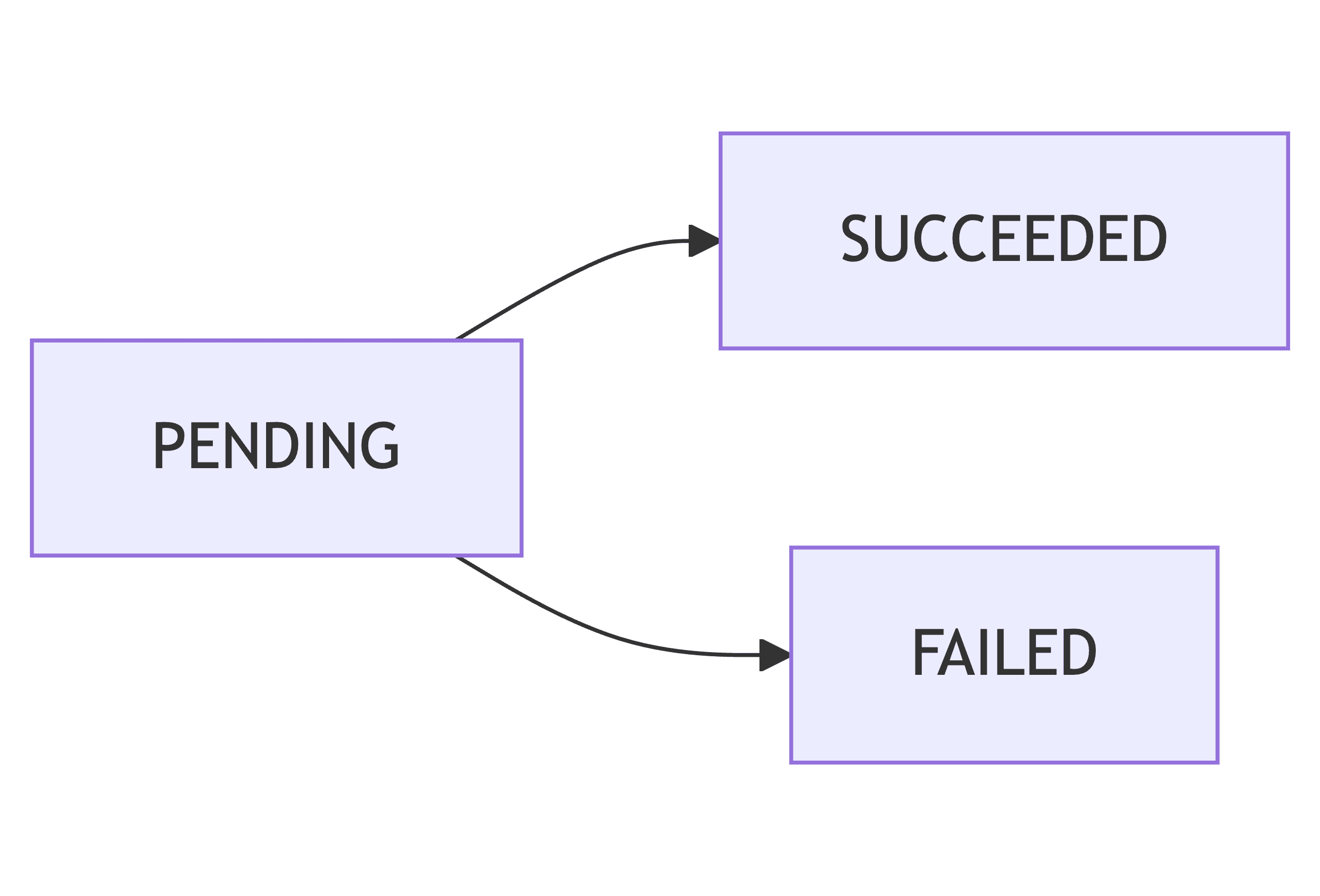
A new charge starts as PENDING. Beam then processes the payment and moves the charge to SUCCEEDED or FAILED.

SUCCEEDED and FAILED are final. A charge never changes status again after it reaches one of them, and a failed charge cannot be retried. To let the shopper try again, create a new charge.

StatusMeaning
PENDINGBeam is still processing the payment and the outcome is not known yet.
SUCCEEDEDThe payment succeeded. Beam creates a transaction for it.
FAILEDThe payment failed. Read failureCode to find out why. See failure codes.
Important

Not every charge reaches a final status. If the shopper abandons the payment, for example by closing the QR code screen or never opening their banking app, the charge can stay PENDING indefinitely. Whether that happens depends on the payment method.

So do not write logic that waits for every charge to become SUCCEEDED or FAILED. Give each unresolved charge your own timeout, treat it as unpaid when the timeout passes, and release any stock or booking you were holding. Keep the charge id, because a very late charge.succeeded webhook is still possible.

Charge failure codes

When a charge is FAILED, the failureCode field says why. Use it to show the shopper a useful message.

failureCodeMeaningWhat to do
CH_PROCESSING_FAILEDThe payment could not be processed.Create a new charge and try again.
CH_INSUFFICIENT_FUNDSThe shopper’s payment method does not have enough funds.Ask the shopper to use another payment method.
CH_AUTHENTICATION_FAILEDThe shopper could not be authenticated for this payment.Ask the shopper to try again. See 3DS.
CH_CARD_EXPIREDThe card has expired.Ask the shopper for a valid card.
CH_CARD_DECLINEDThe card issuer declined the payment.Ask the shopper to contact their bank, or to use another card.
CH_CARD_RESTRICTEDThe card is not allowed to make this payment.Ask the shopper to use another card.
CH_CARD_INCORRECT_DETAILSThe card number, expiry date, or CVV is wrong.Ask the shopper to check the card details and try again.
CH_CARD_INCORRECT_PINThe PIN was wrong.Ask the shopper to try again with the correct PIN.
CH_CARD_PIN_ATTEMPT_EXCEEDEDToo many wrong PIN attempts.Ask the shopper to use another payment method or contact their card issuer

The CH_CARD_* codes and CH_AUTHENTICATION_FAILED only appear on card and card installment payments. For the network response code behind a card decline, see Network Response Codes.

Note

A failure code is not an API error. A charge that fails still returns HTTP 2xx, because Beam accepted and processed your request. For HTTP errors such as validation or authentication problems, see Error Handling.

Charge sources

The source field says which part of Beam created the charge. Beam sets this value, and you cannot change it.

sourceWhere the charge comes from
APIYour own call to POST /api/v1/charges, or a card authorization capture.
PAYMENT_LINKA shopper paying on a payment link.
BOLTA shopper paying on a Beam Bolt device.
STORE_LINKA shopper paying on your Beam store link.
QR_PROMPT_PAY_LINKA shopper paying through a Beam QR PromptPay link.

sourceId points at the object that created the charge. For PAYMENT_LINK it is the payment link’s id, and for BOLT it is the Bolt Intent’s id. You can use both fields together to list the charges that belong to one source. See List charges.

Note

Capturing a card authorization also creates a charge, and one authorization can produce more than one, because you can capture it in several parts. Each capture creates its own charge with its own chargeId. To list the charges for one authorization, call GET /api/v1/card-authorizations/{cardAuthorizationId}/charges.

Track the charge

The charge creation response does not tell you whether the payment succeeded. It only tells you the charge exists. To learn the outcome, use webhooks.

Recommended: listen for webhooks. Set up an endpoint and subscribe to charge.succeeded and charge.failed. Beam calls your endpoint as soon as the charge reaches a final status, so you do not have to ask for it. This is the reliable signal, because it arrives even if the shopper closes their browser after paying. Build your order fulfillment on it. See Webhook events for charges and the Webhook guide.

Fallback: poll the charge. If you cannot receive webhooks yet, call GET /api/v1/charges/{chargeId} until the status is SUCCEEDED or FAILED. Polling costs you requests and delays the outcome, so use it only until your webhook endpoint is ready. Poll with exponential backoff and jitter, because polling too fast gets 429 responses. See Rate limits and retries.

Whichever you use, set your own timeout. A charge the shopper abandons can stay PENDING indefinitely, so a loop that waits for a final status may never end. See Charge lifecycle.

Webhook events for charges

  • charge.succeeded: the payment succeeded.
  • charge.failed: the payment failed. The payload includes the failureCode.
  • transaction.created: Beam recorded the transaction for a successful charge.

These events fire for every charge source, so you receive them even when you never call the Charges API yourself.

See Event Types for each payload and the Webhook guide for how to set your endpoint up. For which event to act on, see Track the charge.

Next steps

  • Charges API: the endpoints, the request shapes, and how to finish a payment that needs an extra step.
  • Integration Guide: a full walkthrough of a first charge.
  • Card Tokenization: take card payments without handling raw card numbers.
Last updated on