Bolt Intent API
This section will walk you through the Bolt Intent API to complete your payment flow, including
- Create Bolt Intent to initiate a payment request
- Get Bolt Intent to inquire the status of the payment
- Cancel Bolt Intent to cancel a payment request
You can see the API reference for Bolt Intent at Bolt API Specification.
Create Bolt Intent
You can create a Bolt Intent with Create Bolt Intent API.
For Paired Mode, to send a Bolt Intent request to the connected device, you need to specify
mode.type=PAIRINGboltConnectionIdthat refers to the connection
For Deep Link Mode, to create a deep link URL to redirect your application to Beam Bolt app for payment processing, you need to specify
mode.type=DEEP_LINKmode.deepLink.redirectUrlto redirect back to your application after payment processing
The following payment methods are supported on the Beam Bolt Intent API:
- Card (
CARD) - Card Installments (
CARD_INSTALLMENTS) - QR PromptPay (
QR_PROMPT_PAY) - Alipay (
ALIPAY) - Alipay Plus (
ALIPAY_PLUS) - Line Pay (
LINE_PAY) - Shopee Pay (
SHOPEE_PAY) - TrueMoney (
TRUE_MONEY) - WeChat Pay (
WECHAT_PAY) - SPayLater (
SPAY_LATER)
Available Bolt payment methods are not the same as those supported in Charges API.
This is indicated in BoltPaymentMethodType and OnlinePaymentMethodType enum respectively in
the API Reference.
We STRONGLY recommend that you set the Bolt Intent expiry duration so that in the case of a long-process payment, both you and Beam Bolt device would not wait for the payment result indefinitely.
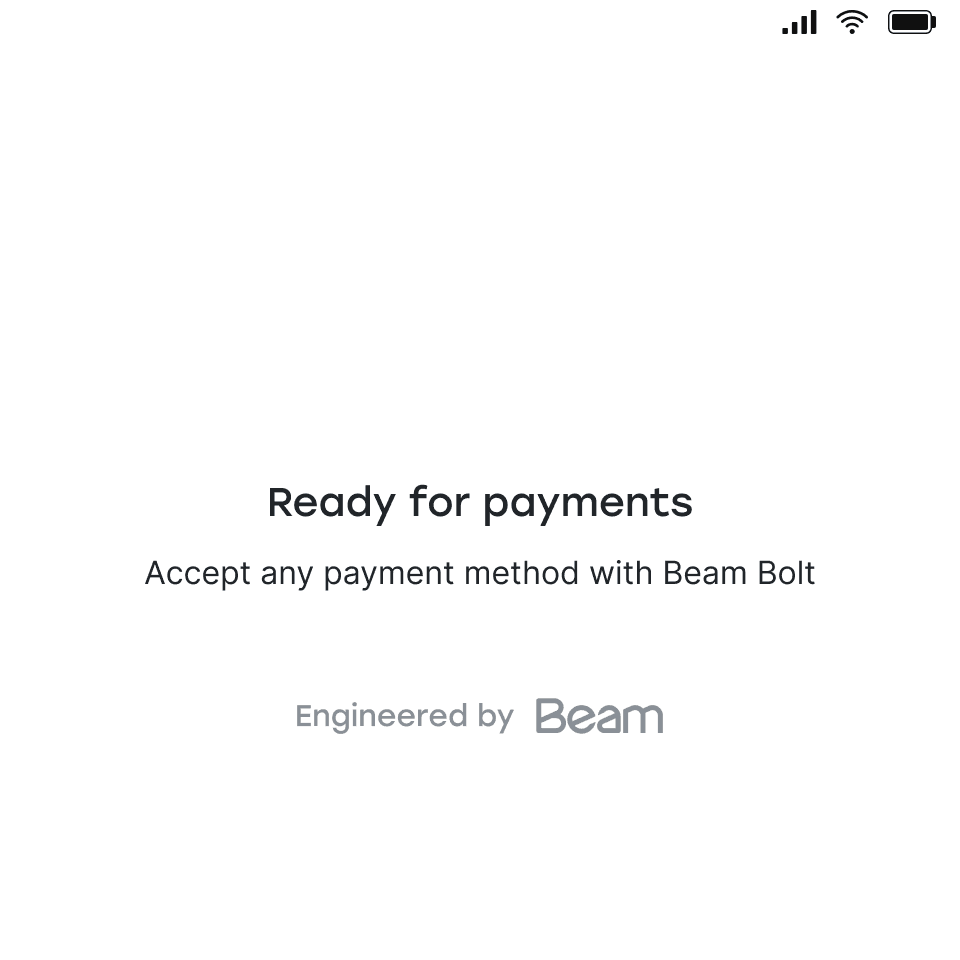
If you create Bolt Intent while Beam Bolt is not in “Ready to accept payments” screen, the payment request will be discarded. Therefore, we recommend that you wait for 5 seconds after Bolt is connected or Bolt Intent is canceled or expired before you create a Bolt Intent.
Handle Bolt Intent
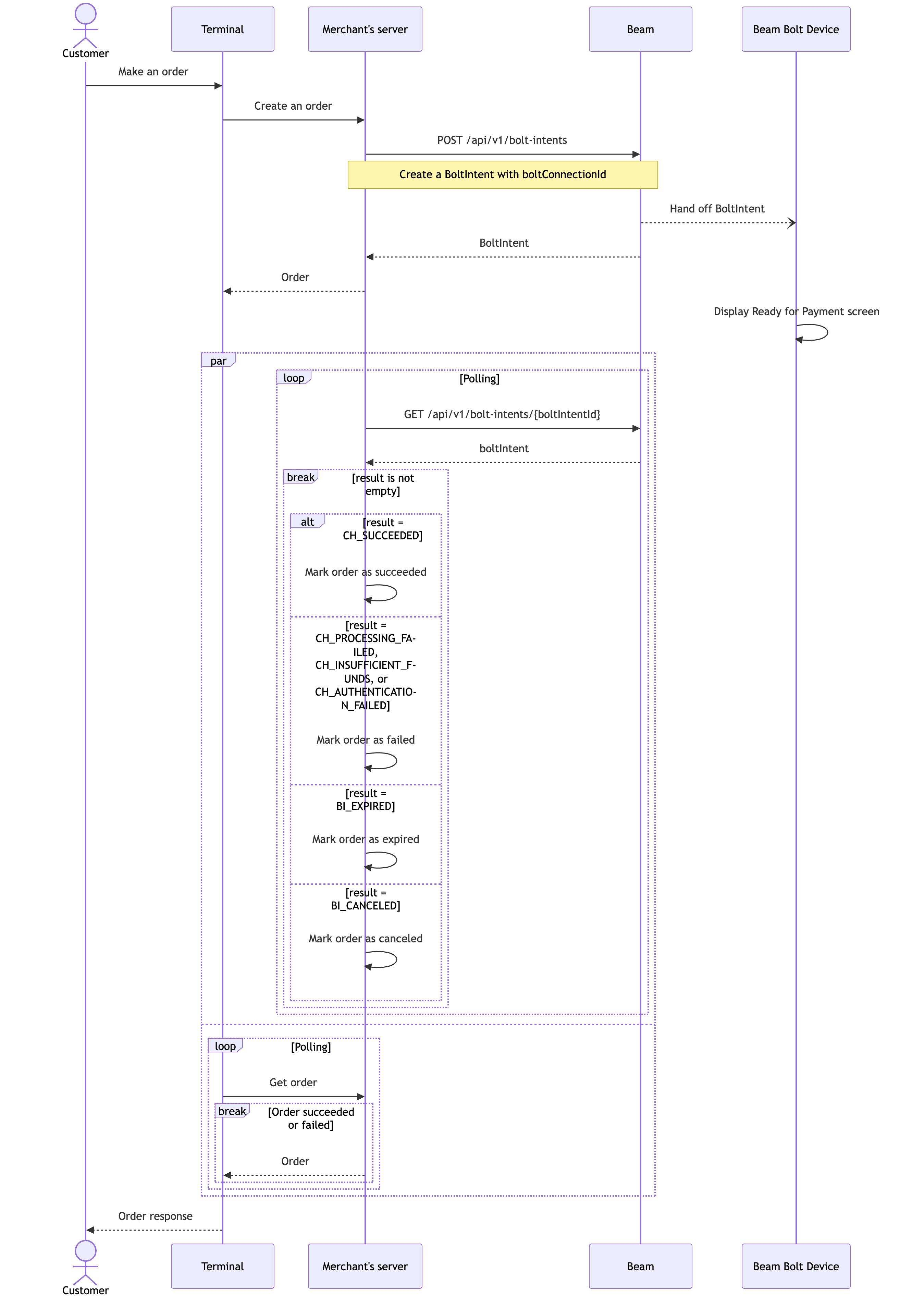
After you successfully create a Bolt Intent, track payment status by polling
Get Bolt Intent API with boltIntentId until the result
field is not empty, then act according to its value.
There are fields in Bolt Intent that indicate the latest Charge on it, namely latestChargeId, latestChargeStatus
and latestChargeFailureCode. You can read more details about them in Get Charge API.
Bolt Intent also contains result field indicating the payment outcome:
result | Meaning | Recommended action |
|---|---|---|
| (empty) | No Charge yet, or latest Charge is still pending | Continue polling |
CH_SUCCEEDED | Latest Charge succeeded | Mark order as succeeded |
CH_PROCESSING_FAILED | Latest Charge failed — processing error | Mark order as failed |
CH_INSUFFICIENT_FUNDS | Latest Charge failed — insufficient funds | Mark order as failed |
CH_AUTHENTICATION_FAILED | Latest Charge failed — authentication error | Mark order as failed |
BI_EXPIRED | Bolt Intent expired | Mark order as expired |
BI_CANCELED | Bolt Intent was canceled | Mark order as canceled |
A Charge created just before expiry or cancellation could still succeed after the Bolt Intent transitions to
BI_EXPIRED or BI_CANCELED. If this happens, refund the Charge manually from Lighthouse to avoid capturing
funds for an expired or canceled order.
Here is an example on how to accept customer’s payment after connected to Beam Bolt successfully:
Get Bolt Intent via API
You can use the boltIntentId in the Bolt Intent creation response above in the Get Bolt Intent API
(GET /api/v1/bolt-intents/{boltIntentId}) to retrieve the details of a specific Bolt Intent by its ID.
Cancel Bolt Intent
You can set Bolt Intent’s expiry on its creation, or cancel it with Cancel Bolt Intent API.