Bolt Connection API
This section will walk you through the charges API to complete your payment flow, including
- Create Bolt Connection to connect your server to Beam Bolt device
- Delete Bolt Connection to disconnect your server from Beam Bolt device
- Get Bolt Connection to ensure the connection’s validity
You can see the API reference for Bolt Connection at Bolt API Specification.
Create Bolt Connection (Connect to Beam Bolt)
After Beam Bolt enters Paired Mode, a Pairing Code and expiry time will be displayed on the device. You can then connect your server to this Beam Bolt device with Create Bolt Connection API.
Here is an example flow on how to connect to Beam Bolt:
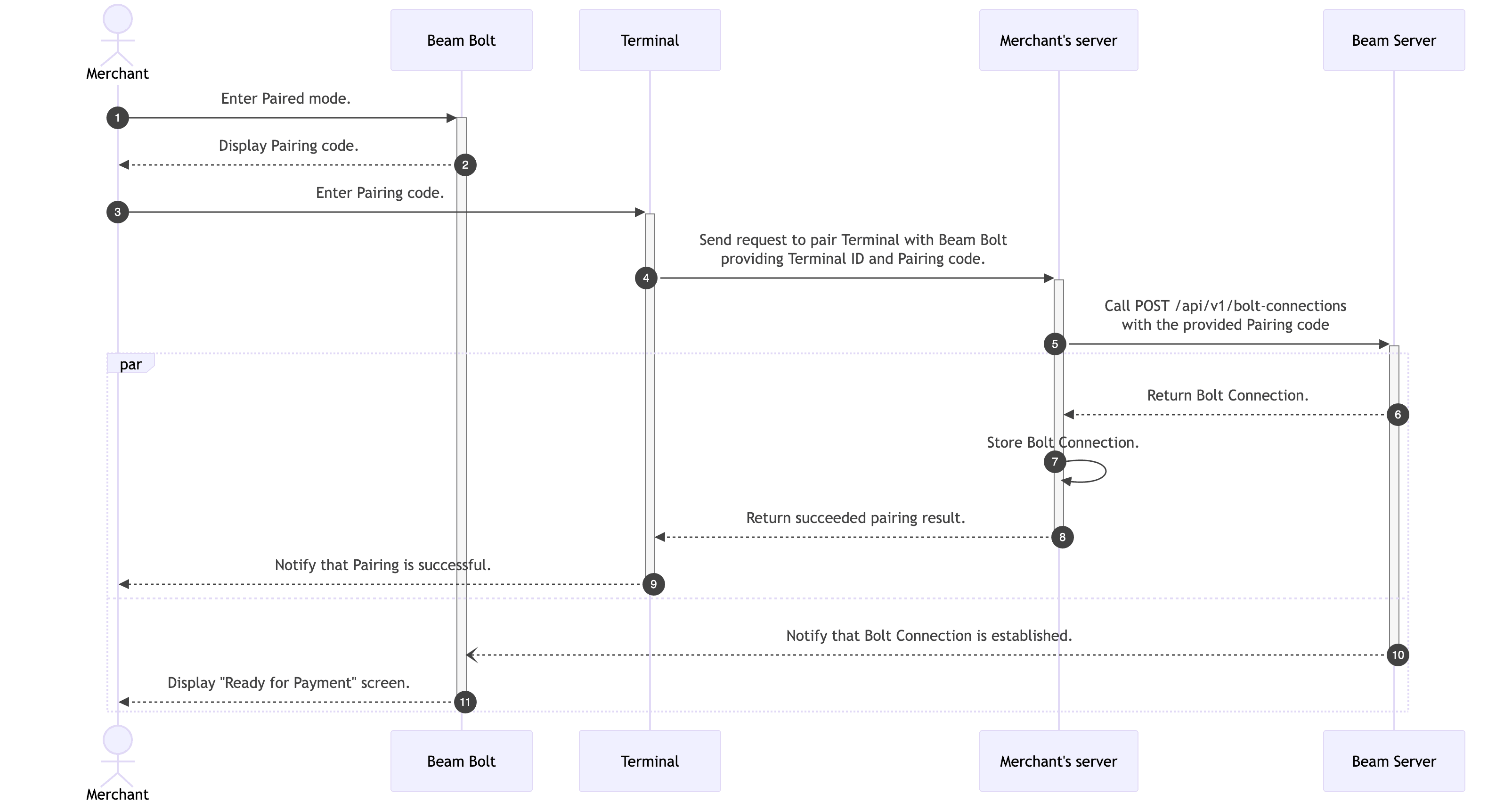
Make sure to store the Bolt Connection ID on your server as it is important for sending payment requests to the connected Beam Bolt device, along with Device ID associated with the connection to identify the device.
Here is an example request for Pairing Code “123456”:
POST https://api.beamcheckout.com/api/v1/bolt-connections
Content-Type: application/json
Authorization: Basic {{credentials}}

{
  "pairingCode": "123456"
}
Delete Bolt Connection (Disconnect from Beam Bolt)
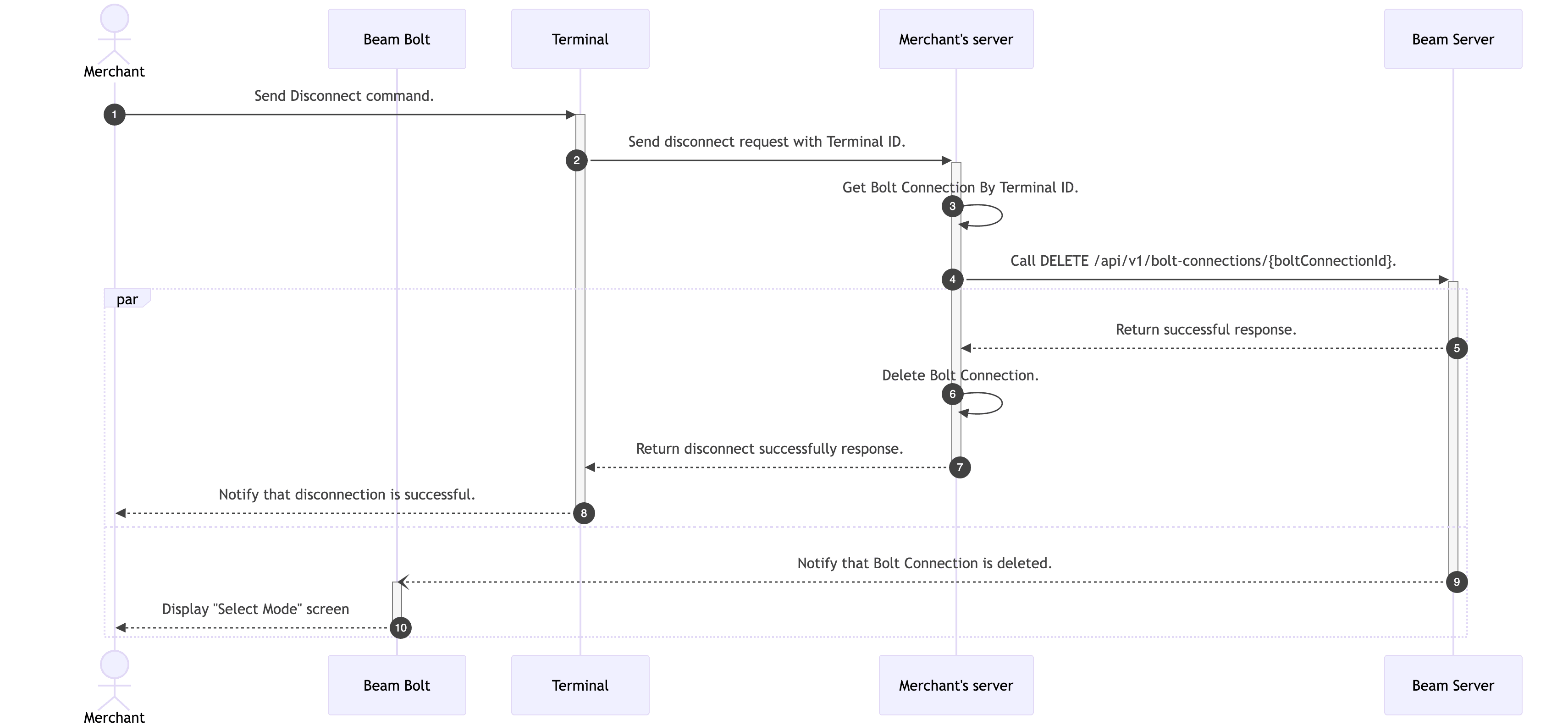
You can disconnect your server from Beam Bolt device with Delete Bolt Connection API.
Upon successfully deleting bolt connection, the device is logged out and you will need to re-login for security purposes.
Here is an example diagram on how to disconnect from Beam Bolt:
Get Bolt Connection (Ensure Connection Validity)
You can ensure the connection’s validity with Get Bolt Connection API.